
Table of contents
- We Wanted WordPress Analytics to Start Inside WordPress
- It Provides Value Before Asking for an Account
- A Permanent Free Plan for a WordPress Site
- What You Can See Without Leaving WordPress
- Privacy-First Needs to Be Technically Specific
- The Native Plugin Also Gives Agents a Safer Setup Path
- Installing the Plugin
- Why a Native WordPress Plugin Matters
We Wanted WordPress Analytics to Start Inside WordPress
Adding analytics to a WordPress site should not begin with copying JavaScript from one dashboard, pasting it into another tool, clearing three layers of cache, and wondering whether an optimizer removed it.
So we built the native ezStats Analytics plugin.
It is the official connector between WordPress and ezStats. It installs the tracker, connects the site to the correct ezStats account, verifies the setup, and brings the first useful results into the WordPress admin area. The hosted ezStats dashboard remains available when someone needs deeper traffic, search, AI visibility, or behavioral analysis.
It Provides Value Before Asking for an Account
Plugin activation stays local. Nothing is sent to ezStats just because an administrator activated the plugin.
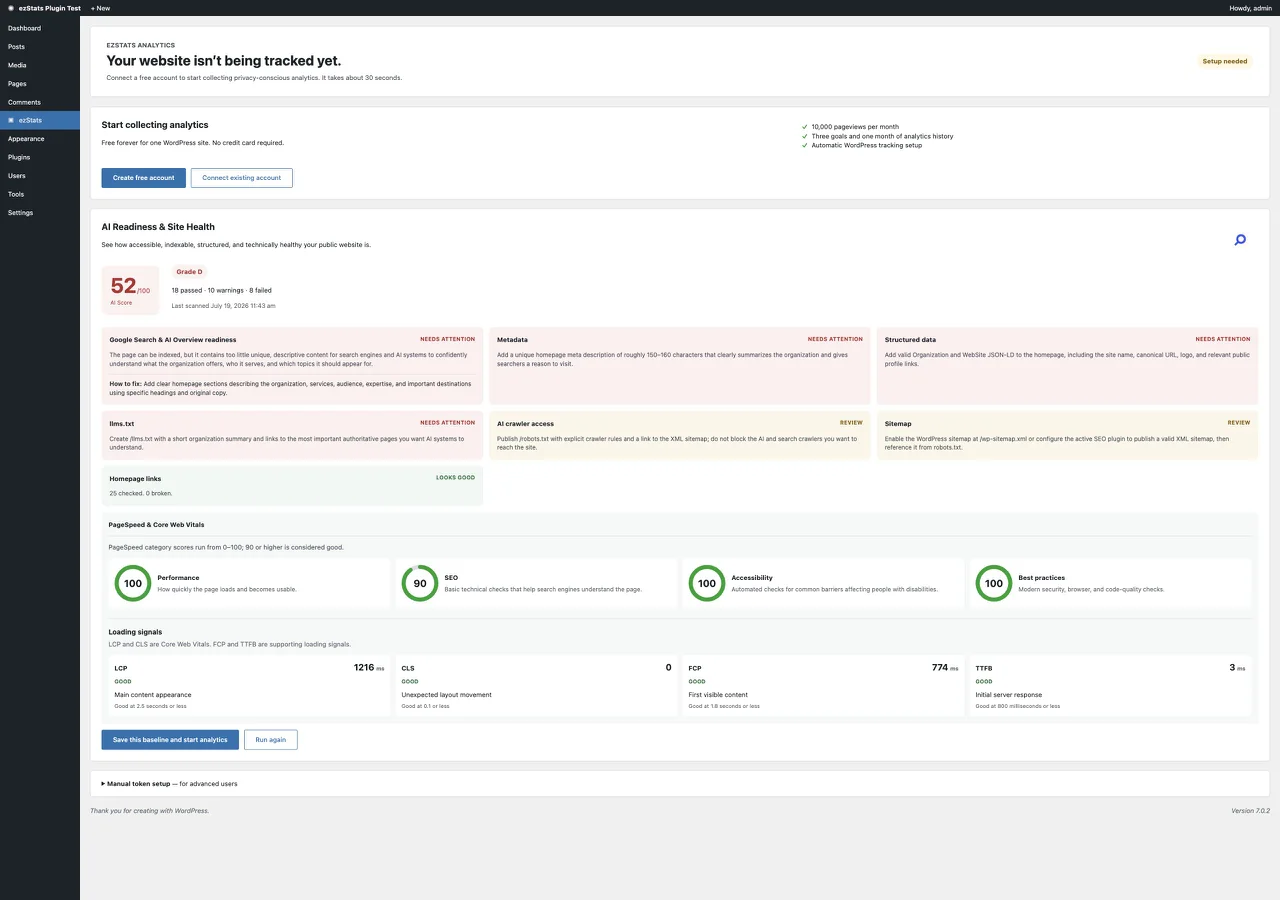
When the administrator explicitly chooses Run my free scan, the plugin requests an AI Readiness & Site Health review of the public site. The results appear directly inside WordPress and can include:
- The ezStats AI Score and grade
- AI crawler access and page indexability
llms.txt, metadata, and structured-data checks- Sitemap discovery and validation
- A sample of broken internal links from the homepage
- Available PageSpeed, accessibility, SEO, and best-practices measurements
- Plain-language explanations of loading signals such as LCP, CLS, FCP, and TTFB
The scan does not silently change the site. It gives the administrator a baseline and a clearer decision about whether to connect analytics.
A Permanent Free Plan for a WordPress Site
When someone creates an ezStats account through the WordPress connection, the site begins on a permanent Free plan rather than a trial that expires.
| Included | Free WordPress allowance |
|---|---|
| Websites | One |
| Traffic | Up to 10,000 pageviews per month, with a collection grace allowance |
| Retention | One month of analytics data |
| Goals | Up to three conversion goals |
| Behavior | Optional heatmaps for up to three pages with limited retention |
| Access | WordPress summaries, hosted dashboard, REST API, and hosted MCP access subject to plan limits |
| Billing | No credit card and no expiration |
Paid plans are available for higher limits, Search Console integration, deeper SEO intelligence, ongoing AI visibility monitoring, broader behavioral analytics, multi-site reporting, and more agent actions. The plugin does not have to be replaced or reconnected when the plan changes.
What You Can See Without Leaving WordPress
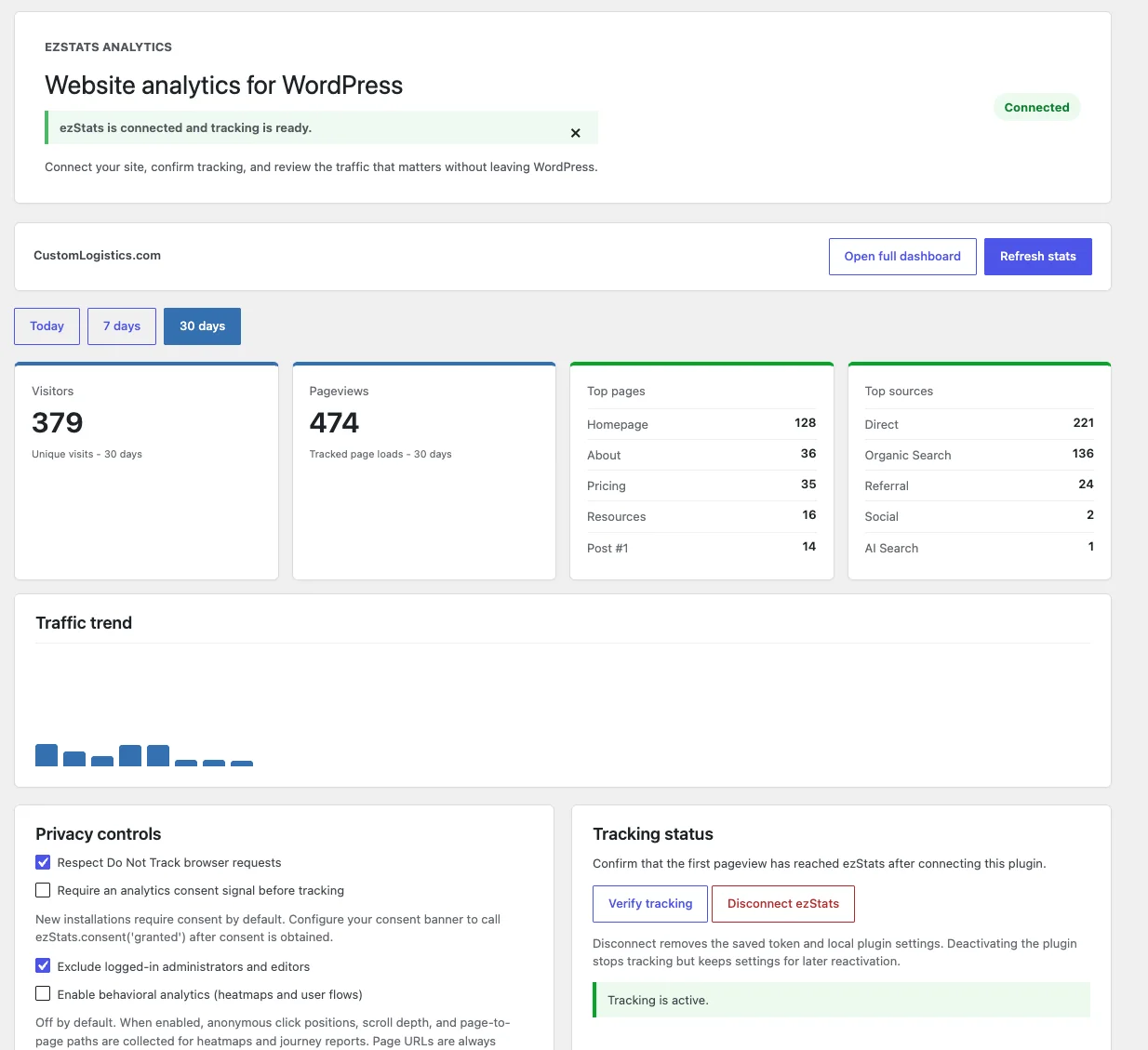
Once connected, the ezStats menu gives administrators a useful operational view where they already manage the site:
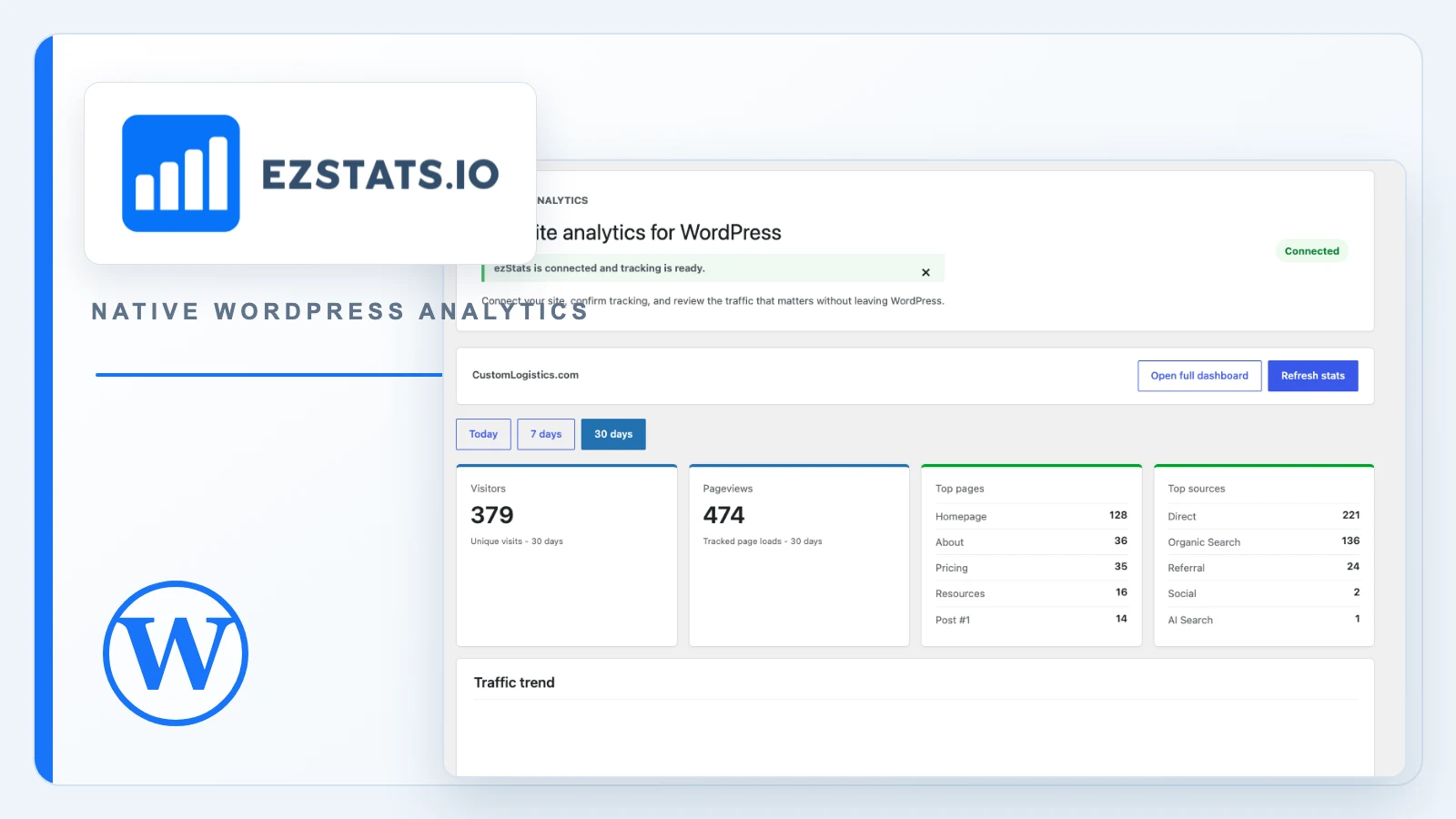
- Visitors, pageviews, trends, top pages, and traffic sources
- Recognizable traffic from AI assistants
- Goal activity and basic site performance
- The latest saved AI Score and scan date
- Tracking status and setup verification
- Privacy, consent, Do Not Track, and logged-in-role controls
The full ezStats dashboard is still the place for deeper analysis. The plugin is designed to make the common checks obvious and the connection dependable.
Privacy-First Needs to Be Technically Specific
It is easy to describe analytics as “privacy-friendly” without explaining what that means. The plugin documentation is intentionally more precise.
ezStats does not set analytics cookies or perform cross-site tracking. When tracking is permitted, the tracker stores a random pseudonymous identifier in first-party browser local storage so repeat visits can be measured. The service converts that identifier into an account-scoped HMAC visitor key, preventing direct matching between unrelated ezStats accounts.
Visitor IP addresses are used transiently for coarse location, network classification, and bot filtering, but raw IP addresses are not retained. The tracker does not collect form values, page text, link destinations, customer records, or WordPress user details.
Do Not Track support is enabled by default. Sites that require prior analytics consent can enable consent mode and connect it to their consent manager. The plugin does not pretend one configuration can make every site compliant in every jurisdiction; the site owner remains responsible for the appropriate disclosures and consent choices.
The Native Plugin Also Gives Agents a Safer Setup Path
Without a plugin, an agent may have to edit a theme, inject a code block, or guess how a WordPress optimization layer will handle the tracker. The connector gives it explicit interfaces instead.
The plugin supports WP-CLI configuration:
wp ezstats configure --site-id=<site-id> --api-key=<api-key>It also exposes a scoped local health endpoint at:
GET /wp-json/ezstats/v1/statusAn authorized agent can use those interfaces to configure the right site, confirm that credentials are present, check the last verification result, and—when allowed—request a remote health snapshot from ezStats. That is much safer than editing arbitrary theme files and assuming the tracker survived deployment.
Installing the Plugin
- Install and activate ezStats Analytics from the WordPress plugin directory or upload the plugin package.
- Open the new ezStats menu in WordPress.
- Optionally run the free AI Readiness & Site Health scan before creating an account.
- Create a Free account, connect an existing account, or use an existing tracking token.
- Select or create the website you want to track.
- Visit the public site while logged out and verify that analytics is active.
- If the site requires prior consent, enable consent mode and connect it to the consent manager.
The plugin can run alongside GA4 during a comparison or migration period. There is no need to remove the existing analytics product before verifying ezStats.
Why a Native WordPress Plugin Matters
A generic script can count visits. A native connector understands that WordPress has administrators, logged-in editors, multisite installations, plugins that rewrite pages, caching layers, consent managers, and an update system of its own.
Building for those realities gives ezStats a more reliable installation path for people and for agents. It also gives us a place to show useful answers—not merely another settings screen—inside the system where the website is actually operated.
Learn more at ezstats.io or compare the analytics, search, and AI visibility features. Visit the ezStats WordPress Plugin page to install on your WordPress site.
Share this article

Jonathan Arehart
Founder at Cavendo. In 2000, I started Cavendo building websites. Today, we build practical AI and software systems that help businesses work smarter.